CaptureGem vs Moniturbate: Features, Free Tiers and Switching Steps
Table of Contents
- Quick answer
- At a glance
- What Moniturbate gets right
- Where CaptureGem does more
- Mac and Linux as well as Windows
- Wider site coverage, plus VR
- A free version that records more than one model
- More control over auto-record
- Groups, a real library and proxy mode
- Switching from Moniturbate to CaptureGem
- Which should you choose?
- Verdict
Moniturbate is a monitor-and-record app for Windows. You build a list of models, see at a glance who’s online, and record their shows at the best quality the site offers. CaptureGem covers that same ground and then goes further, with more sites, VR rooms, Mac and Linux support, and a library for everything you’ve saved.
Below we compare the two the way you’d actually use them, then finish with a short guide to moving your list across.
Quick answer
If you’re on Windows, every model you follow is on Moniturbate’s sites, and you only need a record button and a trimmer, Moniturbate will do the job. For almost everyone else, CaptureGem is the stronger pick. It runs on Windows, macOS and Linux, has 24 sites built in (three of them for VR), and lets even the free version record several models at the same time. Premium then adds cross-site groups and proxy recording, and every user gets a visual review library.
At a glance
| CaptureGem | Moniturbate | |
|---|---|---|
| Desktop app | Windows, macOS, Linux | Windows only, plus a free Chrome extension that runs on Windows, macOS and Linux |
| Sites | 24 built in, plus 130+ platforms through Streamlink | Lists 10 platforms |
| VR shows | StripchatVR, Dreamcam, SexLikeReal | Not mentioned |
| Free version | Up to 10 models, recordings up to 5 minutes, several at once | Unlimited monitoring list, one recording at a time, list not saved between sessions |
| Auto-record | Premium, with several modes | Premium |
| Paid plan | Premium | Listed at $29 per month |
| Saved files | MP4 by default, MKV optional | .ts and MP4, with auto-encode to MP4 on Premium |
| Editing | Trim, cut and combine | Cut, trim and extract clips as compressed MP4 |
| Recording library | Review tab library: preview grids, tags, favorites, deletion protection | Not advertised |
| Cross-site groups | Premium | Not advertised |
| Private shows and other sites | Premium Proxy mode | Not advertised |
What Moniturbate gets right
Moniturbate keeps things simple, and that’s a fair selling point. Its monitoring list shows online and offline status with live thumbnails, it records the highest quality a stream offers (it advertises 4K and 60 FPS where a stream offers them), and its editor cuts and trims clips without another program. On the free version you can watch an unlimited list of models, which is handy for seeing who’s live.
The free tier is tighter elsewhere. It records one model at a time, there’s no auto-record, and your monitoring list isn’t kept between sessions, so you build it again each time you open the app. Premium, listed at $29 per month, removes those limits and adds unlimited simultaneous recordings (as your bandwidth allows), auto-record, a saved list and automatic encoding to MP4.
Where CaptureGem does more
Mac and Linux as well as Windows
Moniturbate’s recorder is Windows software. CaptureGem is the same desktop app on Windows, macOS and Linux, so a MacBook, a spare Linux box or your gaming PC can all serve as the recorder, and you can change computers later without changing tools.
Wider site coverage, plus VR
Moniturbate lists 10 platforms. CaptureGem has 24 built in and covers nine of Moniturbate’s ten (LiveFreeFun is the one it doesn’t list). On top of those it adds XHamsterLive, LiveJasmin, ManyVids, Cams.com, XCams, XLoveCam, CameraPrive, AmateurTV, Sexchat.hu, TangoMe, Bigo TV and Superlive, and Streamlink stretches the reach to 130+ more streaming platforms.
Moniturbate doesn’t mention VR. CaptureGem records StripchatVR, Dreamcam and SexLikeReal as side-by-side fisheye files ready for a headset player. If VR is new to you, start with our guide to choosing a VR player.
A free version that records more than one model
Both free versions are really for trying the app, but they’re limited in different ways. Moniturbate’s records one stream at a time. CaptureGem’s records several of your models at once, with up to 10 models on your list and each recording capped at 5 minutes. That means you can check every site you care about in a single evening before deciding on Premium.
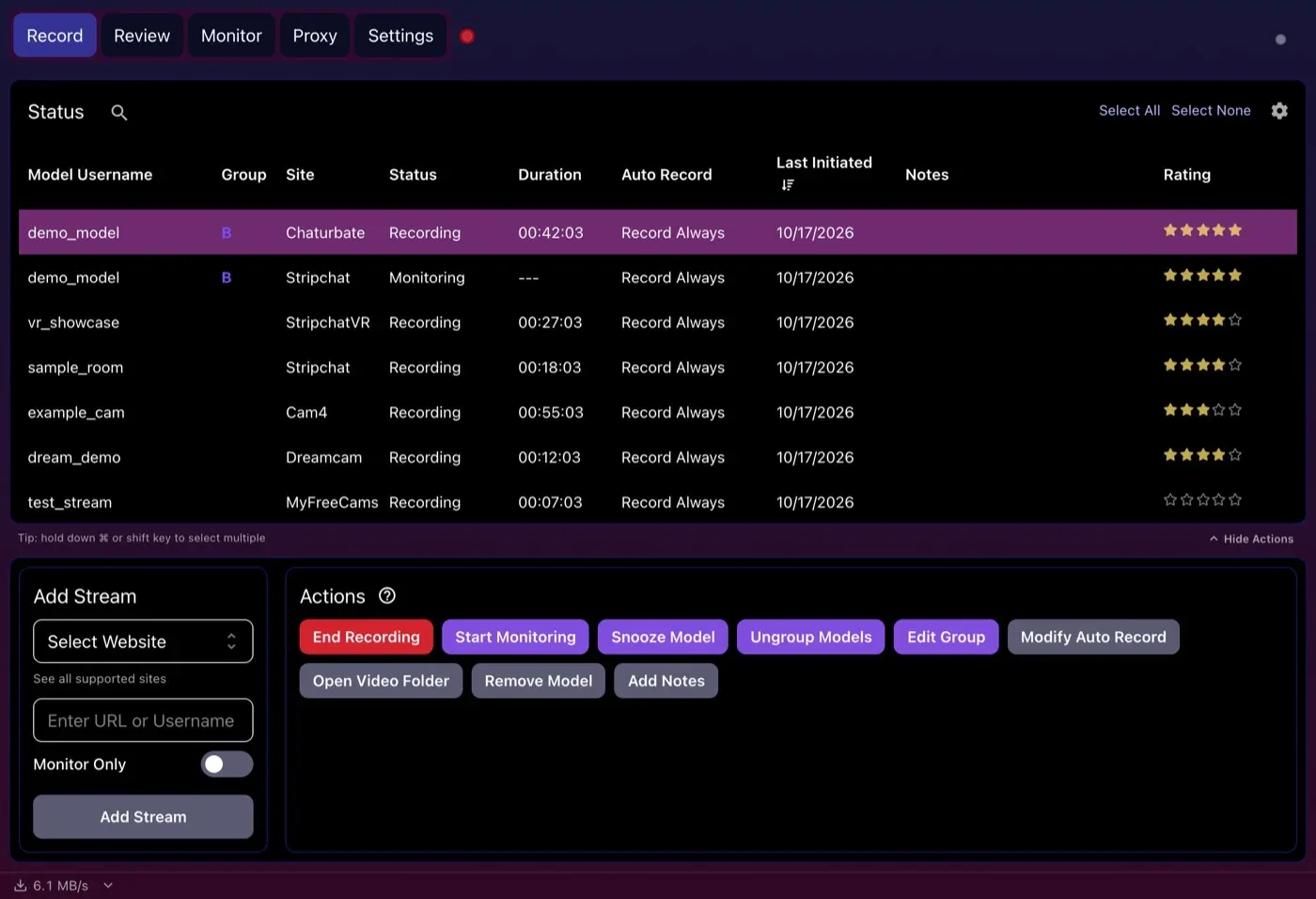
Several models recording at once across six sites on the Record tab, with the current download speed in the bottom corner.
More control over auto-record
With Premium, both apps can start recording when a model comes online. CaptureGem lets you choose the behavior per model, from Record Always and Record With Expiry to Monitor Always, Monitor With Expiry and Consecutive. It also restarts a recording by itself after a disconnect or network timeout.
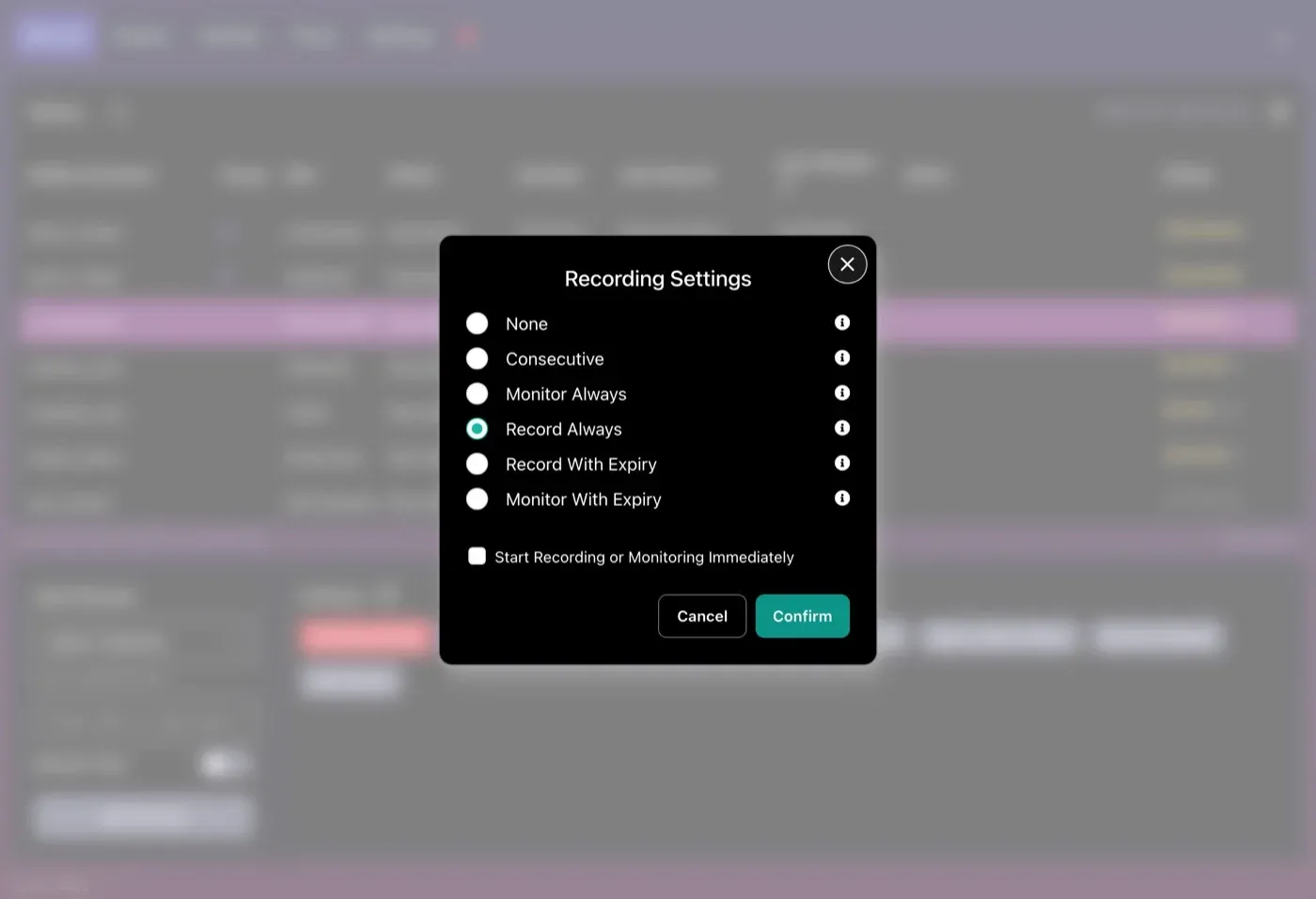
Choosing an auto-record mode for one model (Premium).
Groups, a real library and proxy mode
Three more features have no match on Moniturbate’s feature list:
- Cross-site groups (Premium) put one performer’s rooms on different sites together. If the room on one site goes offline or private, CaptureGem records from another.
- The Review tab turns your recordings into a library you can browse. Each file gets a preview grid automatically, and you can tag, favorite, protect, combine, export or delete recordings in batches.
- Proxy mode (Premium) routes your browser through CaptureGem so you can record a private show you’re watching, a site that isn’t built in, or saved recordings on cam sites. We have proxy walkthroughs for Windows and macOS.
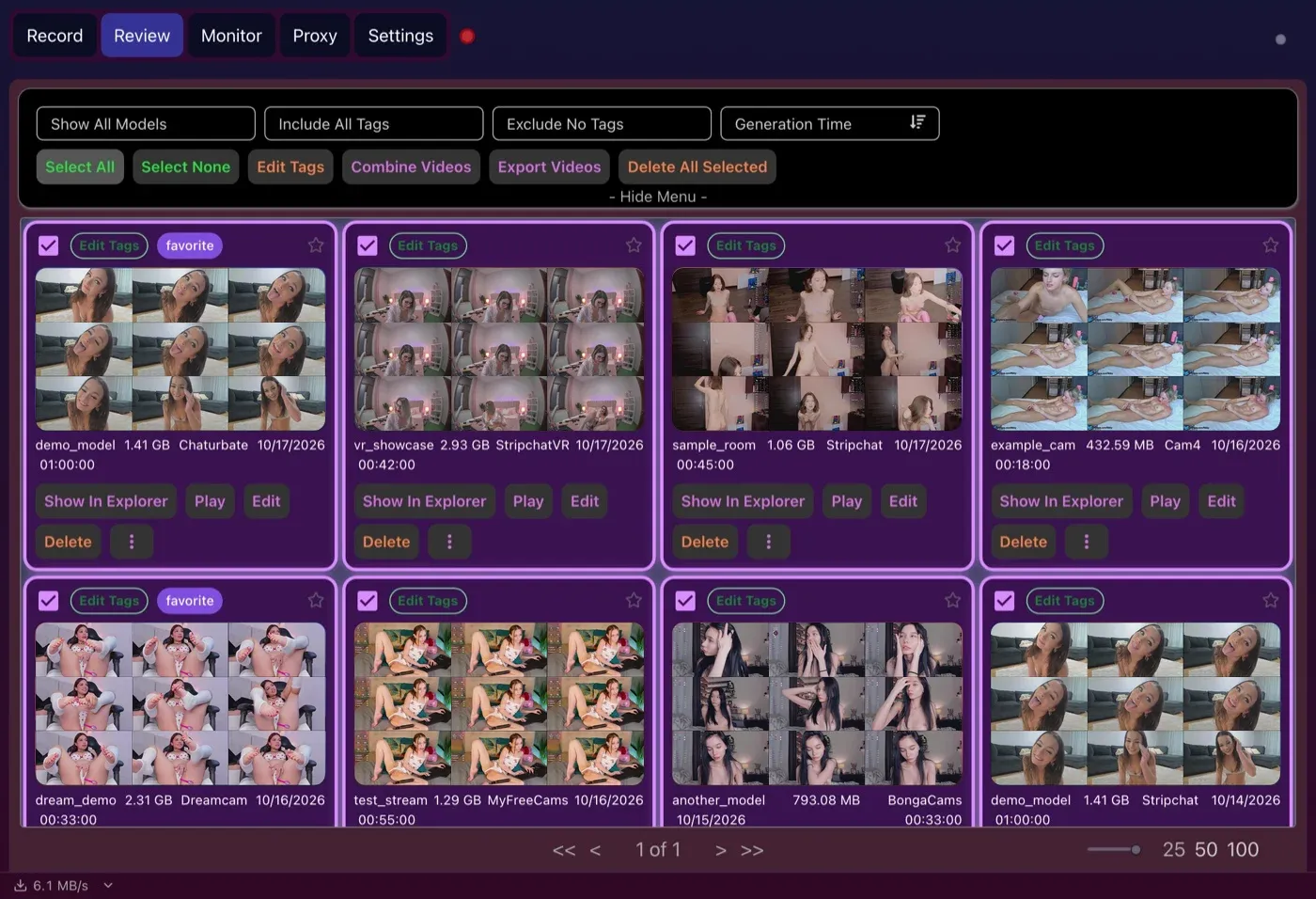
Batch actions on the Review tab: tag, combine, export or delete many recordings in one go.
Both apps have an editor, so trimming is a tie in spirit. Moniturbate exports clips as compressed MP4. CaptureGem’s editor saves the sections you keep as a new file, can delete the original for you, and sits next to the library where you found the recording.
Switching from Moniturbate to CaptureGem
- Install CaptureGem. Download it for Windows, macOS or Linux. It’s free to try and needs no account.
- Pick your video folder. Open Settings, choose where recordings should go, and leave the saved format on MP4 if that’s what you’re used to.
- Re-create your list. For each model on your Moniturbate list, go to the Record tab, choose the site under Select Website, type the username or paste the room link, and click Add Stream. Our per-site guides cover the quirks of each platform.
- Run a test. Add a model who’s live right now, let it record, and check the result on the Review tab. The first recording walkthrough explains what each status means.
- Go unattended with Premium. When you’re happy, upgrade to Premium, select your models and set Modify Auto Record to Record Always. CaptureGem keeps your list, so it’s waiting for you the next time you open the app.
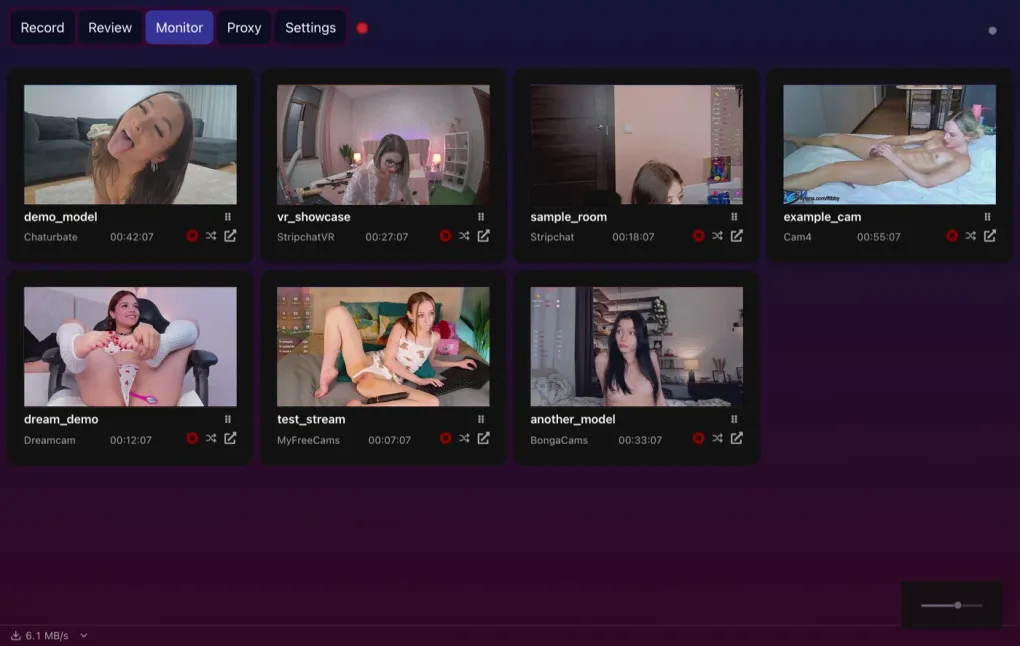
- Watch from the Monitor tab. It previews everything that’s recording, and no stream gets downloaded twice to do it.
- Close Moniturbate so the two apps don’t record the same rooms and compete for bandwidth.
Which should you choose?
Moniturbate makes sense if you only use Windows, every model you follow is on its ten platforms, and you want a minimal recorder with a trimmer.
CaptureGem is the better choice if you use a Mac or Linux, record on sites Moniturbate doesn’t list, watch in VR, want to test several models at once before paying, or want your recordings organized instead of piling up in a folder.
Verdict
Moniturbate is a straightforward Windows recorder that’s clear about what it does. CaptureGem handles the same core jobs on more computers and more sites, then adds VR, cross-site groups, proxy recording and a proper library. That’s why it’s our recommendation. Try the free version with a few of your models, and look at the Premium plans when you want it to run on its own.
As always, record only what you have permission to save, and respect the performers, the sites’ terms and the law where you live.
Loading comments...